Nodes & adapters
Reusable pipeline capabilities, execution adapters, prompts, and declarations.
OrPAD opens Markdown, JSON, CSV, source code, diagrams, and .or-graph files in the same editor — and runs the orchestration pipeline that ties them together, locally, with evidence.
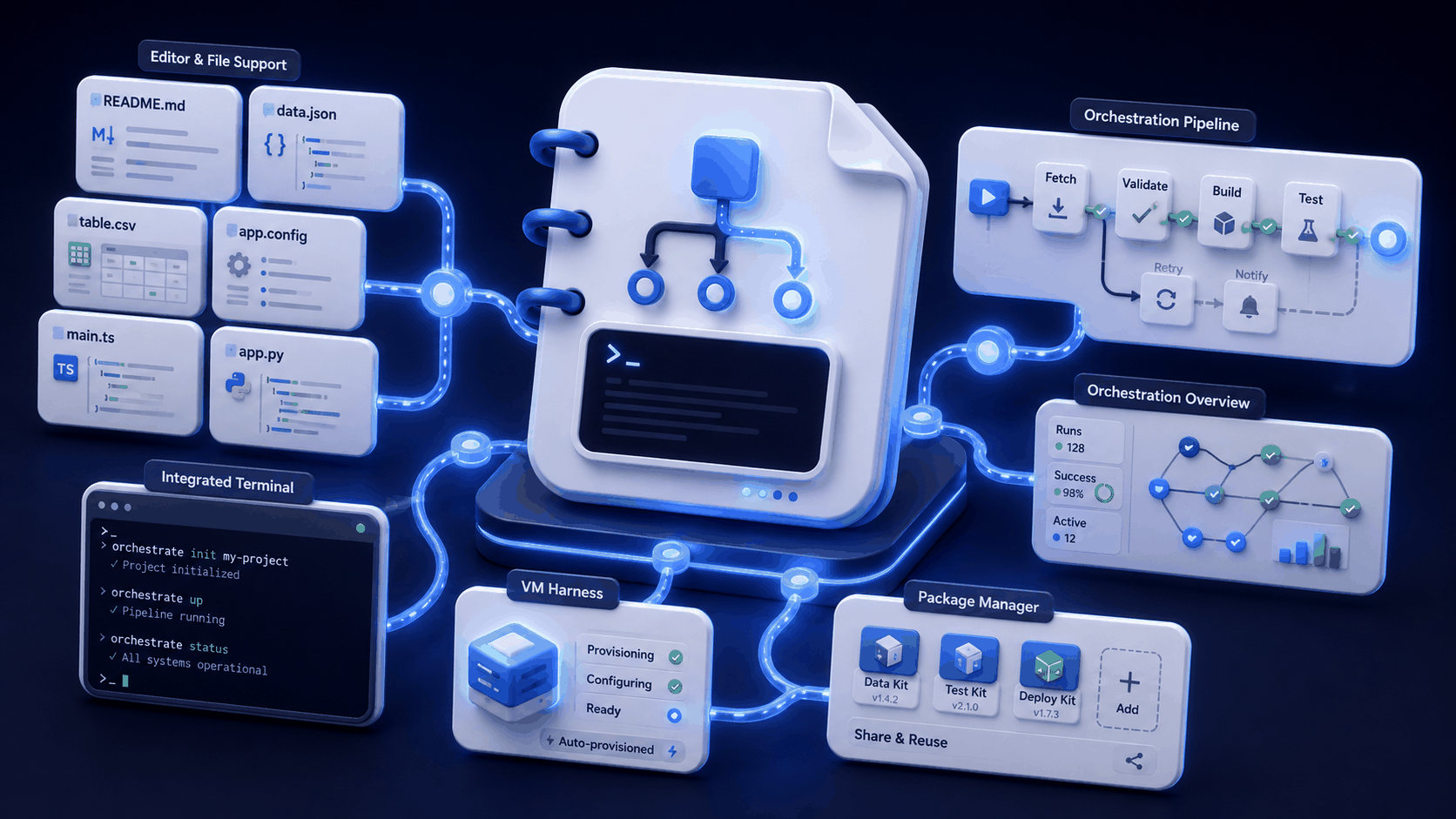
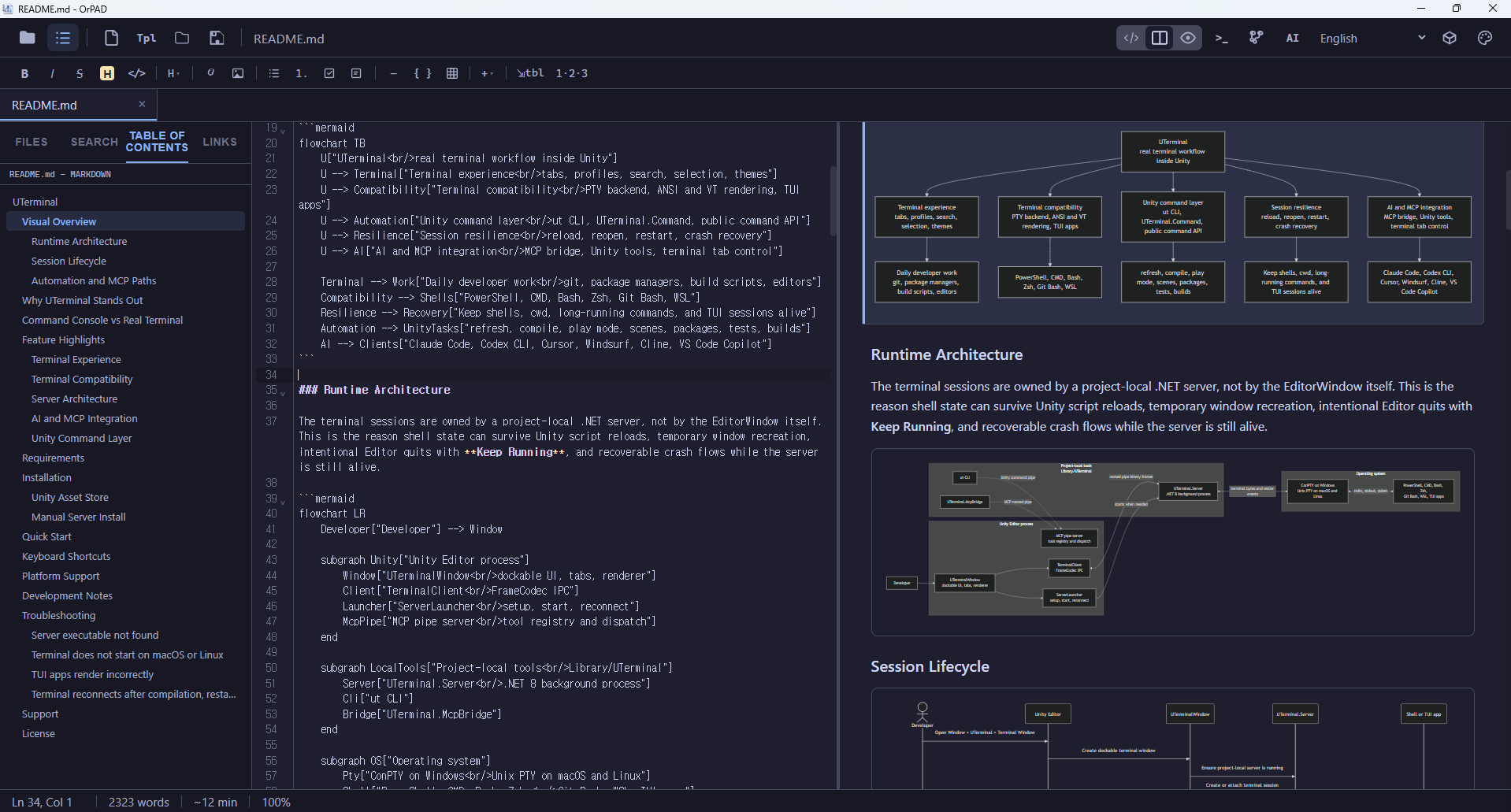
Stop tab-juggling between a Markdown editor, a JSON viewer, a CSV grid, and a diagram tool. OrPAD opens each format with a real editor and a structured preview side by side, in the same window as the rest of your project.
Every format gets the right editor — CodeMirror with syntax-aware token colors for source / stylesheet / script / config / diff / SVG files, a spreadsheet grid for CSV, a structured tree for JSON / YAML, source-and-render for Mermaid, a visual canvas for graphs.
Preview understands the format: rendered docs for Markdown, schema-aware tree for JSON, inline charts for tabular data, live diagram for Mermaid, flow canvas for .or-graph. Toggle Editor Only / Split / Preview Only without losing layout.
Project files, command palette, AI actions, MCP tools, terminals, and git status sit beside the editor — so you never leave the workspace to work.
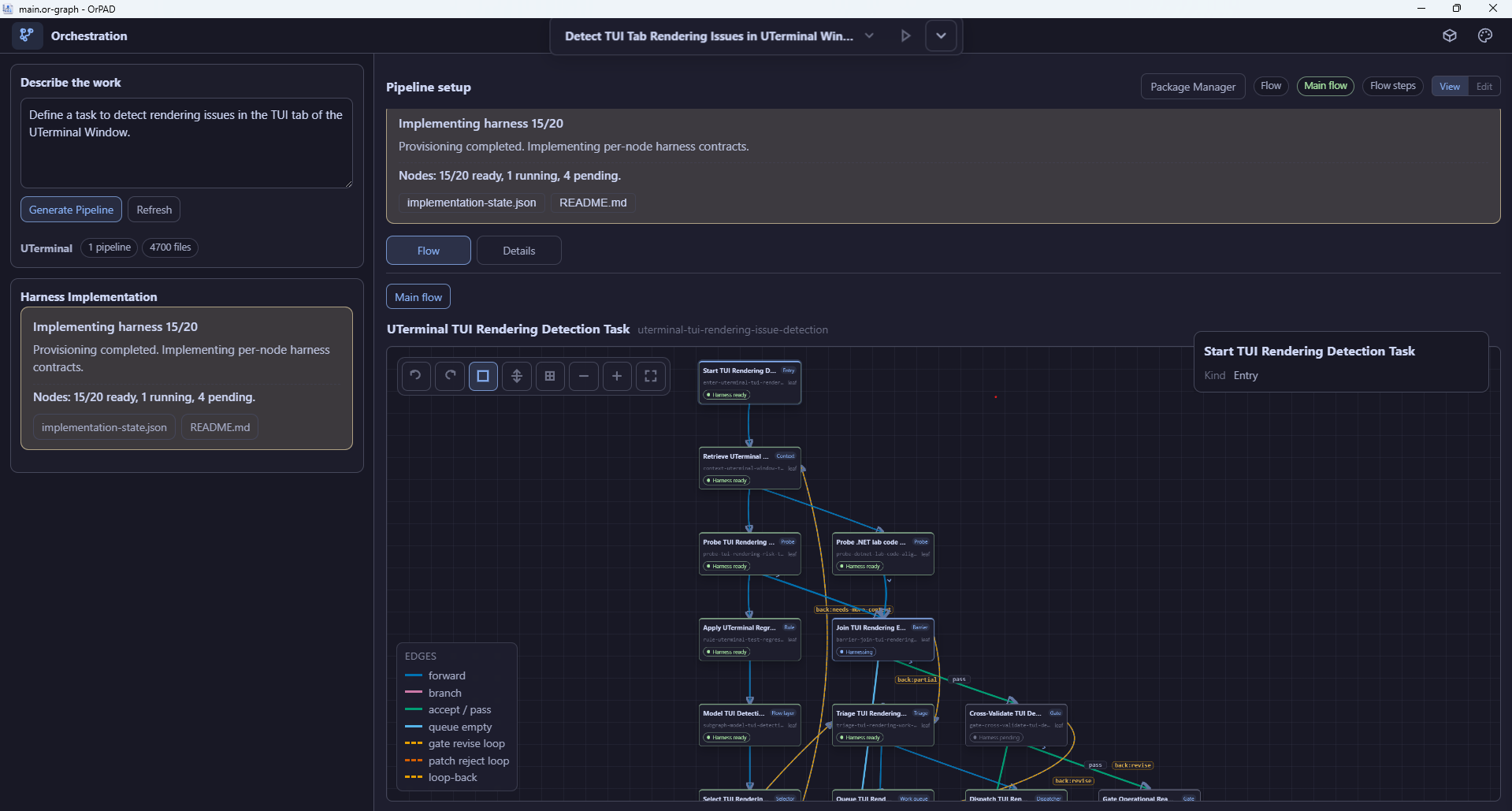
OrPAD is also an orchestration manager. Open a .or-graph or .or-pipeline file and you get a visual canvas, flow editor, machine adapter, and a durable run state — with approvals and evidence built in.
Edit the .or-graph in a canvas or as JSON — the file on disk stays diffable, reviewable, and reusable across packages.
Start runs from explicit local paths. Adapters drive each node, durable run state survives restarts, approval gates protect risky side effects.
Every run produces an evidence record. Package Manager surfaces signatures, checksums, and reviewer state before anything is imported or updated.
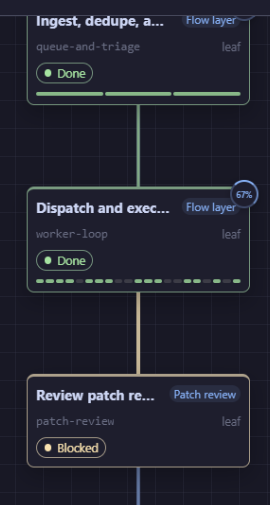
Each node in a running pipeline shows its own status, progress, and gate state. You can pause, inspect, and resume without losing context.
A package bundles nodes, graphs, skills, rules, and examples so a pipeline is portable. The official Registry only marks packages as reviewed after a maintainer-merged PR — custom registries stay visibly custom.
github.com/OrPAD-Lab/orpad-registry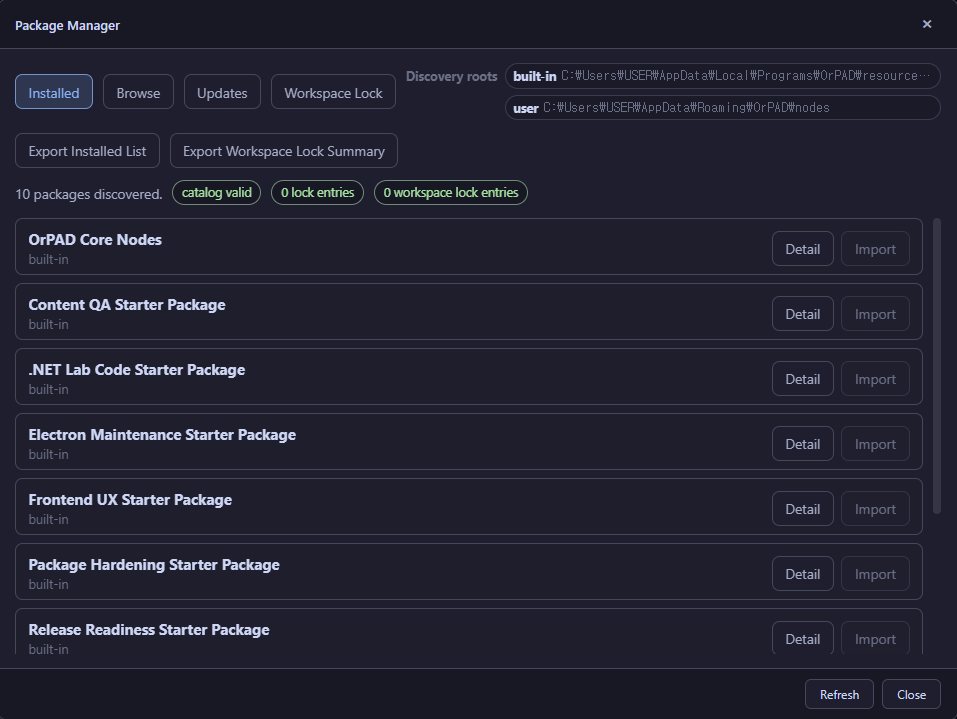
Reusable pipeline capabilities, execution adapters, prompts, and declarations.
Flow layouts, routing structures, tree assets, and machine-readable topology.
Operational instructions, guardrails, review rules, templates, and handoff conventions.
Runnable samples, docs, evidence records, fixtures, and supporting files.
Desktop builds, a PWA fallback, and the full source. OrPAD is MIT-licensed; everything runs on your machine unless you configure otherwise.